
IncidentStudio by IDLH Technology

AI-assisted drill builder for public safety training

Build a complete emergency drill from a rough idea — or your own scene photo.

Describe the incident you want or upload a real location photo. IncidentStudio helps create realistic scene visuals, short training animations, and ready-to-use drill packets for company drills, tabletop discussions, and command development.

Sign UpView sample packet

Start with 4 free credits — enough to create your first scene visuals and drill packets. No credit card required.

Stop starting from a blank page.

Most departments know the incident, hazard, or tactical problem they want to discuss. The hard part is building the rest: conditions, objectives, safety considerations, tactical questions, checklist items, and after-action structure. IncidentStudio helps turn that rough idea — or a real scene photo — into a complete drill package.

Incident type
Occupancy
Conditions
Units
Hazards
Tactical objectives
Safety considerations
Discussion questions
Checklist items
AAR prompts

See what IncidentStudio creates

Turn a simple incident idea or location photo into scene visuals, uploaded photo transformations, animated previews, and ready-to-use drill packets.

Sample output
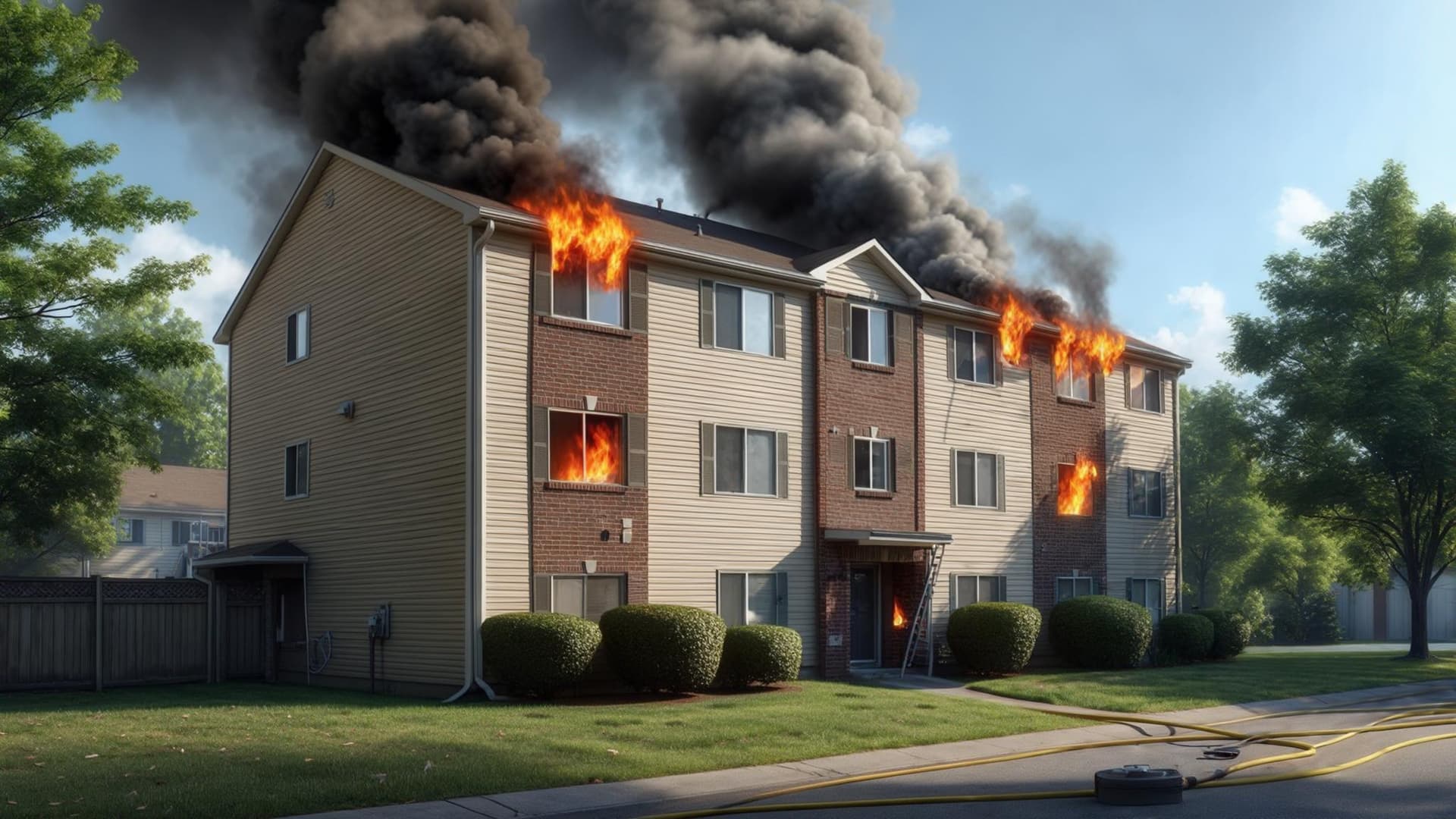
AI-assisted incident scene sample
AI-assisted scene image

Scene Image

Give crews a shared visual reference for the incident conditions you want to discuss.

View sample scene
Upload-to-animation workflow
Uploaded local occupancy photo
Uploaded photo
Transformed incident visual based on an uploaded photo
Incident visual
Animated Preview
Photo Transformation Workflow

Use your own location photo

Upload a local occupancy, target hazard, or training location photo. IncidentStudio can help add incident conditions, then turn the transformed scene into a short animation for drill discussion.

Sample output
Training packet sample preview
Downloadable training packet

Drill Packet

Package the scenario, objectives, prompts, checklist items, and AAR structure into a PDF.

View sample packet

What the packet includes

IncidentStudio is built around the drill workflow, not just the visual. The packet brings the scenario, discussion, evaluation, and after-action pieces into one downloadable training resource.

View sample packet

Sample packet pages

View full sample packet
Scenario overview

Example: Two-story garden apartment with smoke showing from the Charlie side, possible occupant information, access limitations, exposures, and initial unit assignments.

Training objectives

Example: Practice initial size-up, risk assessment, incident action planning, crew assignment, water supply decision-making, and communication of tactical priorities.

Tactical considerations

Example: Identify fire location and extension potential, determine offensive/defensive posture, assign search/attack/ventilation, manage Charlie-side access, and evaluate need for additional alarms.

Safety prompts

Example: What are the collapse, ventilation, flow path, accountability, utilities, exposure, and firefighter survival concerns based on the reported conditions?

Crew discussion questions

Example: What would your first-arriving officer transmit? What would change after the 360? What conditions would trigger a tactical reset?

Evaluation/checklist items

Example: Did the officer establish command, communicate conditions, identify strategy, assign resources, address life safety, request additional resources when needed, and maintain accountability?

AAR prompts

Example: What assumptions were made early? What information changed the plan? What went well? What would the crew do differently next time?

Downloadable packet

Example: Includes scenario details, objectives, tactical prompts, safety considerations, discussion questions, checklist items, and after-action review structure in one PDF.

Simple credit bundles

Buy credits and use them however you want inside IncidentStudio. Drill packets are included; credits are used for AI scene images, image refinements, uploaded photo transformations, and short training animations. You can purchase more credits at any time.

50 Credits
$29
Use credits across images, refinements, photo transformations, and animations. Drill packets are included.
200 Credits
$99
Use credits across images, refinements, photo transformations, and animations. Drill packets are included.
600 Credits
$249
Use credits across images, refinements, photo transformations, and animations. Drill packets are included.
Custom Credits
Contact Us
Larger credit needs, purchasing workflows, and department rollout support.

How credits work

Credits are flexible. You choose when to use them for visual/media generation and enhancements.

A complete visual drill with a packet, scene image or uploaded-photo transformation, and short animation typically uses about 8 credits.

A 50-credit bundle can create about six complete visual drills.

Drill packetIncluded
AI scene image2 credits
Image refinement1 credit
Uploaded photo transformation2 credits
Short training animation6 credits